Let AI handle
guest inquiries for your
ryokan or hotel.
Register your website URL and AI drafts your FAQ. The FAQs you approve appear on a public FAQ page dedicated to your property, and the AI chat uses them to answer guests. AI answers routine questions about check-in, parking, Wi-Fi and more automatically, 24 hours a day.
Site plan ¥9,800/month (tax incl.) · Cancel anytime · 1,748 properties with a published FAQ (including pages we created from their official websites)
AI takes on the questions you answer again and again
AI answers routine questions automatically, 24 hours a day, so your staff can focus on the guests in front of them.
 Before
 After ─ AI handles the first response
AI answers common questions based on your FAQ
AI answers questions sent from smartphones based on your property's FAQ. If the FAQ cannot answer a question about the property, the AI gives the registered phone number or contact page. If there is none, it asks you to check the official website.
- 1A guest asks a question from a smartphone
- 2AI answers automatically, based on your FAQ
- 3If the FAQ cannot answer a question about the property, AI gives your registered contact details or official website
Public FAQ page, AI chat and dashboard
Once you start, your property gets these three things. No complicated setup is needed.
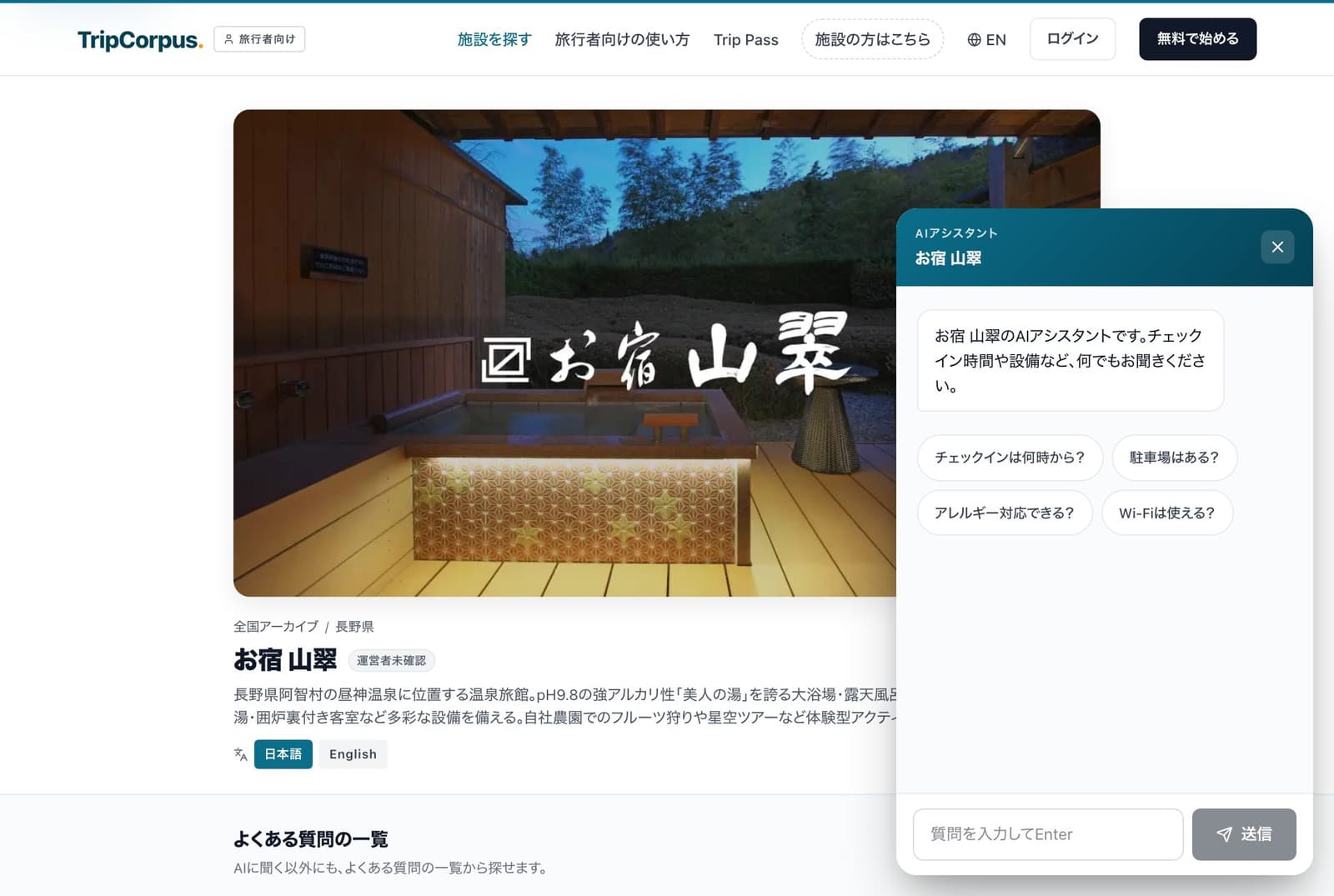
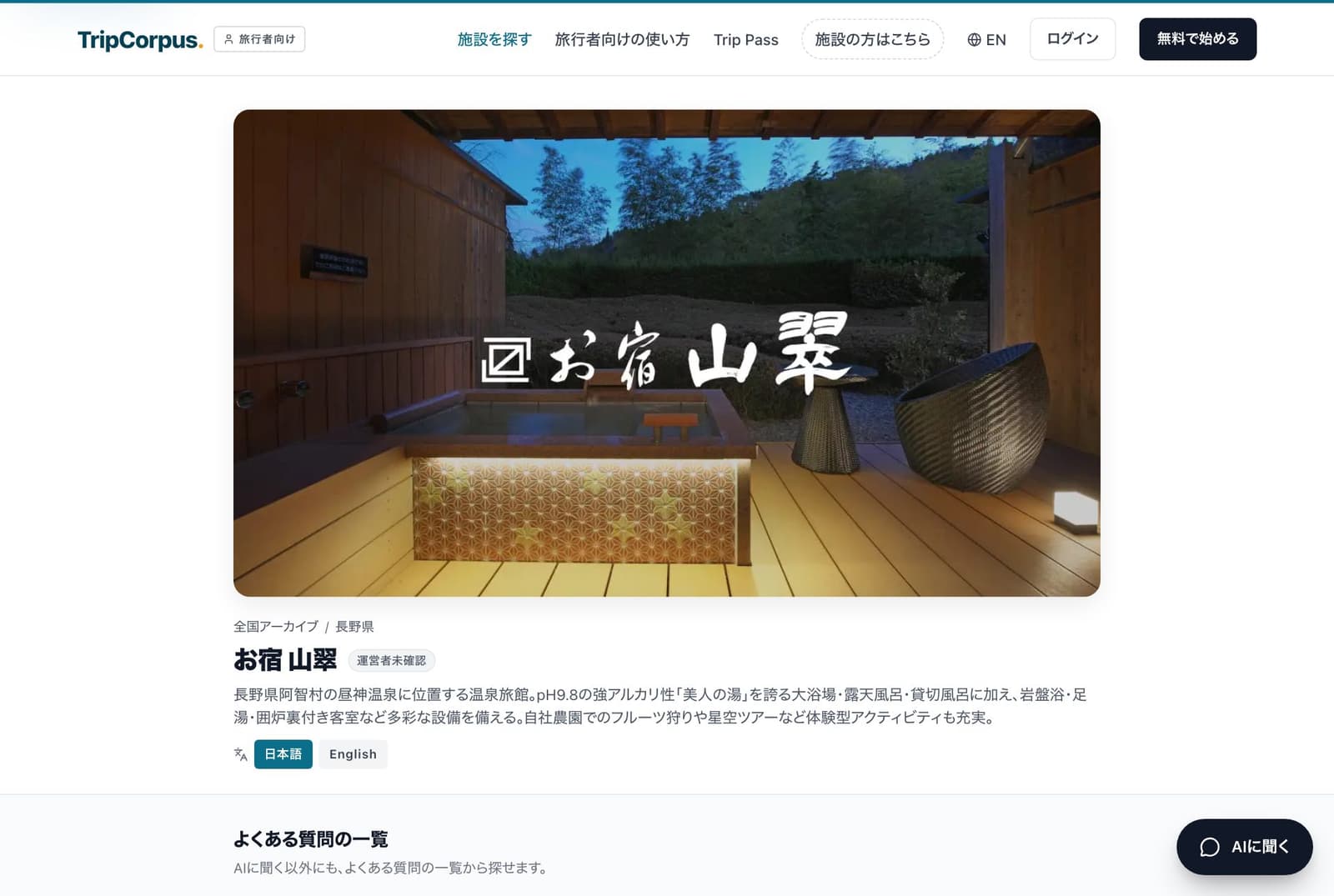
A page that is live now. The chatbot opens from "Ask AI" in the bottom-right corner.
A public FAQ page for your property
A FAQ page dedicated to your property goes live on tripcorpus.com. It becomes an entry point for visitors from Google search and AI search.
AI chatbot
It stays in the bottom-right corner of the page and answers questions 24 hours a day based on your property's information. If the FAQ cannot answer a question about the property, the AI gives the registered phone number or contact page. If there is none, it asks you to check the official website. For things like nearby shops and directions, it may look them up with web search. On the Site plan, you can add the same chat to your own website by pasting one line of code.
Owner dashboard
Register your website URL and AI drafts your FAQ. Drafts created from your URL are published only after you approve them. AI answers questions about your property within the FAQ, and answers about the surrounding area with a clear note that the information comes from a web search.
Automatic answers based on your FAQ
Hand the explanations you repeat every day about check-in times, parking and Wi-Fi to AI, and your front desk staff can spend their time on guests.

Hand repeated questions to AI
AI answers questions about check-in times, parking, Wi-Fi passwords and more in the web chat, based on the FAQs you register.
Chat activity in one dashboard
See in the dashboard when inquiries arrived through the chat on your public FAQ page and in-house QR pages. If the FAQ cannot answer a question about the property, the AI gives the registered phone number or contact page. If there is none, it asks you to check the official website.
Three steps, and the FAQs you approve go live
All you need is a Site plan subscription and your property's website URL. No installation work or training required.
Register your URL
Enter your existing website URL. AI reads the text of that page and drafts your FAQ.
Approve and adjust
Review, edit and approve the drafts in the dashboard. Drafts created from your URL are published only after you approve them.
Go live
Your public FAQ and web chat go live at the same time.
AI answers questions from international guests too
The screens travelers see are shown in five languages. English FAQs are published as standard.

Supported languages
Screens in five languages
Property pages, in-house QR pages and the "Ask about your trip" page show their headings and guidance text in Japanese, English, Traditional Chinese, Simplified Chinese and Korean. The AI chat replies in the language the question was asked in.
English FAQs as standard
AI translates your published Japanese FAQs into English once a day and publishes them. On Chinese and Korean screens, if there are no FAQs in that language, English FAQs are shown, and if there are no English FAQs either, Japanese FAQs are shown.
Translated property names and descriptions
We translate property names and descriptions into English, Traditional Chinese, Simplified Chinese and Korean and show them on property pages. Newly registered properties are shown in Japanese until the translation is ready.
Chinese and Korean FAQs (Site plan add-on)
Add Traditional Chinese, Simplified Chinese and Korean FAQs with the Chinese and Korean language pack for ¥5,500 per month (tax included). AI translates your published Japanese FAQs and publishes them in turn. When you sign up, the prorated amount up to your next billing date is charged.
Site plan pricing
There is one plan: the Site plan.
Are you a traveler?
Ask the AI anything about your trip on the free "Ask about your trip" page. No sign-up needed.
Common questions before getting started
How long does it take to get started?
Register your official website URL and AI drafts FAQs from the content of that page. You review the drafts in the dashboard, and the ones you approve are published. When your FAQ goes live depends on when you review and approve the drafts. No staff training or integration with other systems is needed, so properties without IT staff can get started too.
Can I cancel anytime? Is there a cancellation fee?
The Site plan is paid monthly by credit card and can be canceled at any time. There is no cancellation fee. After canceling, you can keep using it until the end of the billing period, after that, FAQ editing and other features stop, and your property page stays published.
Who owns the rights to FAQ and conversation history data?
You own the rights to your data, including FAQs and conversation history. However, so that AI can write answers, we send guests' questions and the related FAQs and conversation history to the AI provider (Anthropic). The recipient and how the data is handled are described in our Privacy Policy.
Won't the AI make things up?
The AI on property pages is instructed to answer questions about the property, such as rates and facilities, only within what your FAQ says. It does not guess at anything that is not in the FAQ. Instead, it directs guests to your registered phone number or contact page (or your official website if neither is registered). For things outside the property that are not in the FAQ, such as nearby shops or directions, it looks them up with web search and answers with a clear note that the information comes from a web search. You can edit your FAQ in the dashboard at any time.
Do I need to move away from my existing website?
No. You can link to your public FAQ page from your existing website or Google Business Profile. On the Site plan, you can add the AI chat to the bottom-right corner of your existing website by pasting one line of code.
For other questions, please contact us.
Talk to us about getting started
We are happy to talk with you about introducing the Site plan.
Ask about getting started